Chatbots 101
Brighton Web Dev Meetup - Alex Nicol @nicol_alexandre - #RiseOfTheBots
bot2018.webnicol.fr
Me
Alex Nicol - @nicol_alexandre - Github
Developer @ Digital Innovation team // EDF Energy R&D UK Centre
Web / Mobile / AR / Chatbots / Blockchain
What is a chatbot?
Chatbot: An automated computer program that mimics human behaviour in a conversation (text or voice), often by using natural language processing.
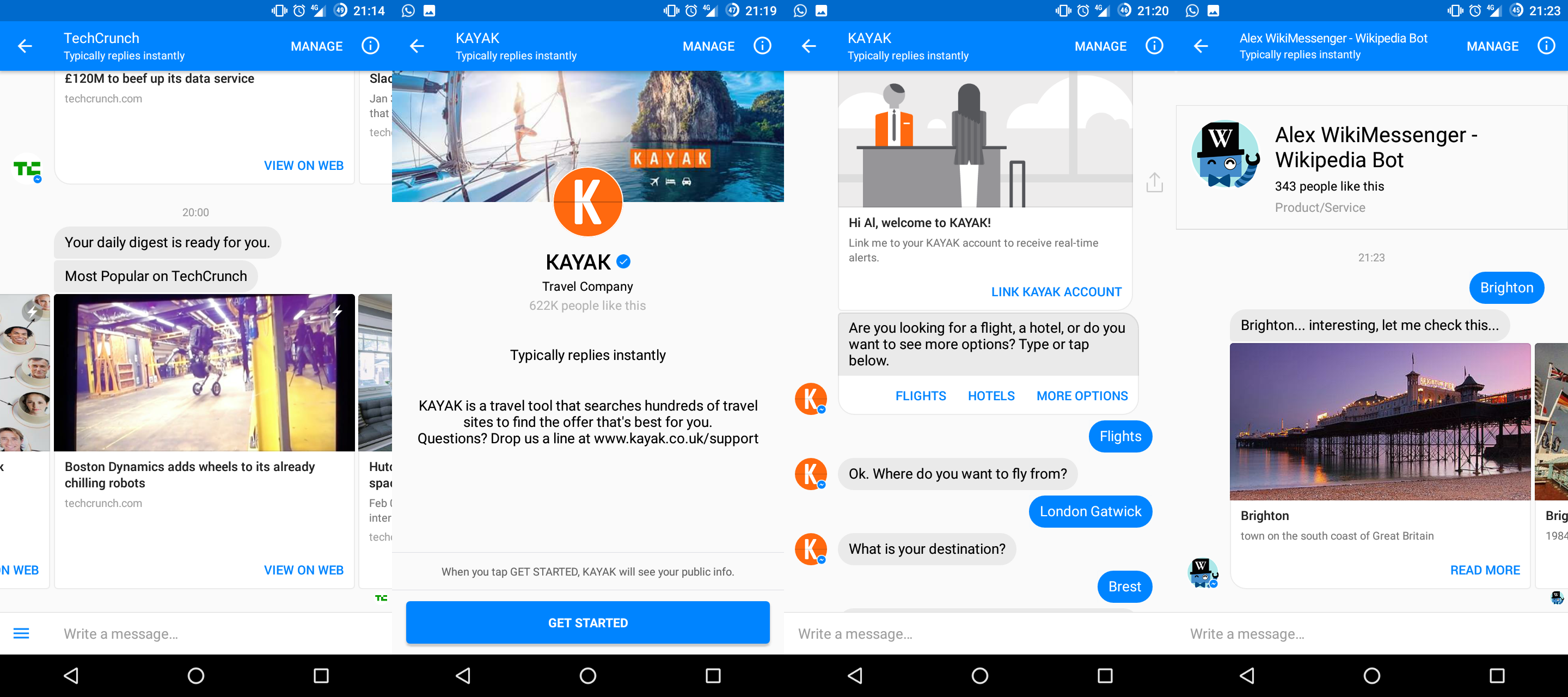
Why now?
NLP (AI in general) has never been so cheap and accessible
More than 50% of website traffic is on mobile
People install less and less mobile applications
But there is more and more messaging applications
Virtual assistant everywhere!
https://www.statista.com/statistics/277125/share-of-website-traffic-coming-from-mobile-devices/https://www.comscore.com/Insights/Presentations-and-Whitepapers/2017/The-Global-Mobile-Report
The internet is always evolving
Browser + Website
Smartphone OS + Mobile app
Messaging platform + Chatbots
Advantages
Asynchronous conversation
Multidevice
Excellent to do simple repetitive task quickly
Minimalist UI
24/7 Availability
No queues
Challenges
Platform specific design (voice != text, slack != facebook)
Users expectations are high
Failing gracefully
Discovery
Conversational UX is hard new
Natural Language Processing
"NLP is a way for computers to analyze, understand, and derive meaning from human language in a smart and useful way."
http://blog.algorithmia.com/introduction-natural-language-processing-nlp/
The are not new
The first one: Eliza

HANDS ON!
Let's create a Cinema Bot!
Toolbox:
JavaScript / Node.js basic knowledge
AWS Lambda + Serverless (or a server if you prefer)
Dialogflow
Facebook Messenger
Facebook Messenger Bot API
-
• Text
• Audio
• Image
• Video
• File
-
Templates:
• List
• Receipt
• Button
• Airline
-
Buttons:
• Url
• Call
• Buy
• Share
-
• Webview
• Instant article
• Log In/Out (OAuth2)
• Quick replies
• Menu
Create a page
Create an messenger app
https://www.facebook.com/pages/create/https://developers.facebook.com
0. Link your facebook app to your server
| // ----- Express/Node.js server ----- | |
| /* some code */ | |
| app.get('/webhook', function (req, res) { | |
| if (req.query['hub.verify_token'] === 'YOUR_VERIFY_TOKEN') { | |
| res.send(req.query['hub.challenge']); | |
| } else { | |
| res.send('Error, wrong validation token'); | |
| } | |
| }); | |
| /* some code */ | |
| // ----- AWS Lambda/Javascript ----- | |
| exports.handler = (event, context, callback) => { | |
| const done = (err, res) => callback(null, { | |
| statusCode: err ? '500' : '200', | |
| body: err ? err.message : res, | |
| headers: { | |
| 'Content-Type': 'application/json' | |
| } | |
| }); | |
| if (event.queryStringParameters['hub.verify_token'] === 'YOUR_VERIFY_TOKEN') { | |
| done(null, event.queryStringParameters['hub.challenge']); | |
| } else { | |
| done(null, 'Error, wrong validation token'); | |
| } | |
| } |
1. Hello World
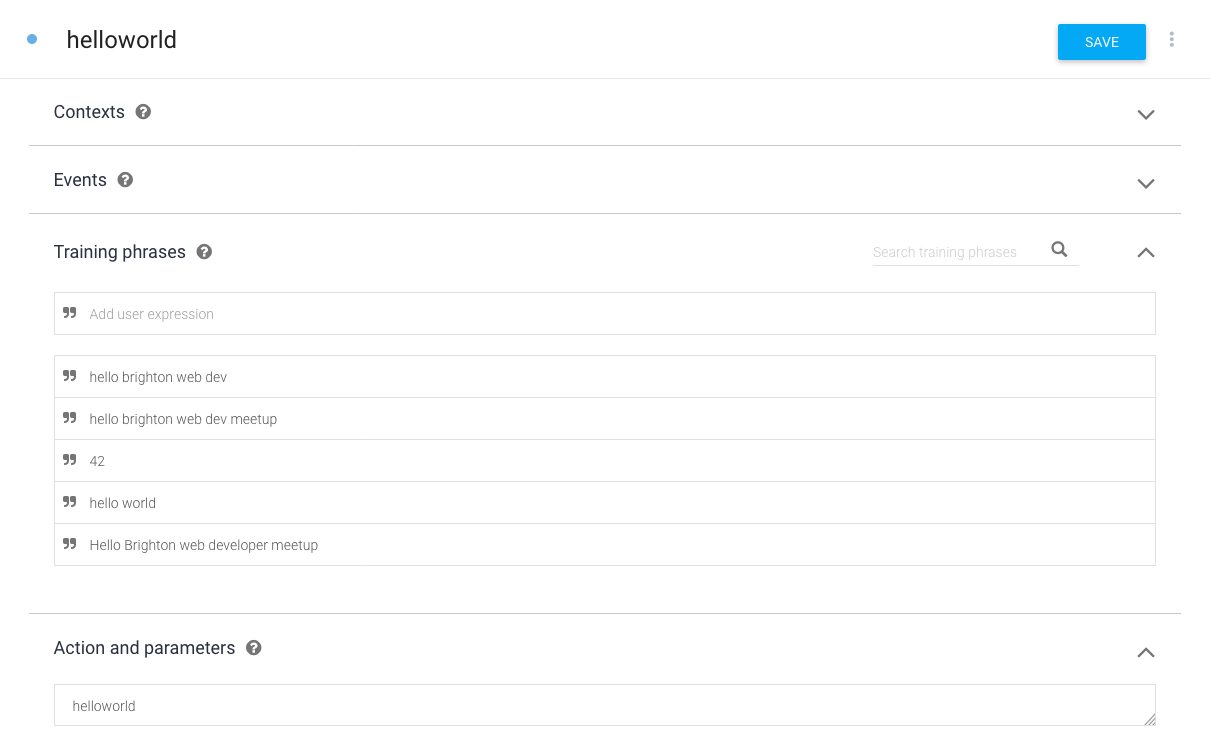
1. Hello World
| const data = request.body; | |
| if (data.object === 'page') { | |
| // Iterate over each entry - there may be multiple if batched | |
| data.entry.forEach(function(entry) { | |
| // Iterate over each messaging event | |
| entry.messaging.forEach(function(event) { | |
| if (event.message) { | |
| Facebook.sendTypingOn(event.sender.id); | |
| //Sending the request to Dialogflow | |
| ApiaiPromised.run(event.message.text, event.sender.id) | |
| .then(apiaiData => { | |
| switch (apiaiData.result.action) { | |
| case 'helloworld': | |
| //sending the message to Facebook | |
| Facebook.sendTextMessage(event.sender.id, 'Bonjour!'); | |
| break; |
2. Small Talk
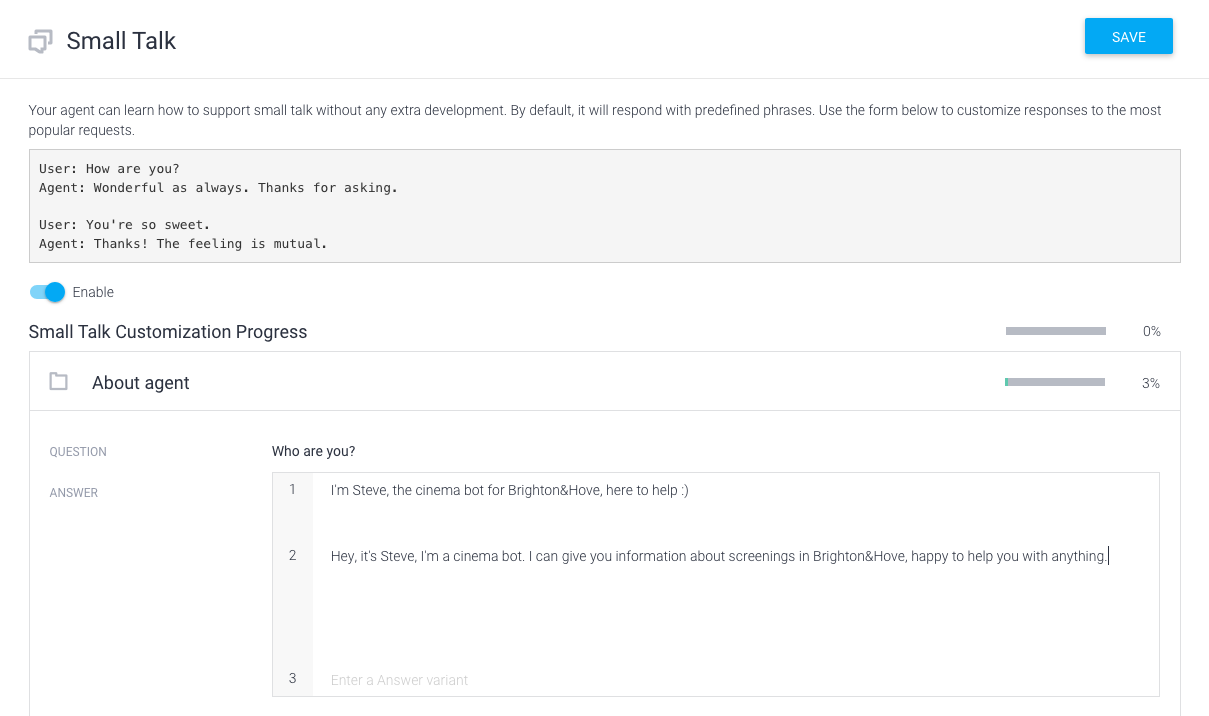
2. Small Talk
| ApiaiPromised.run(event.message.text, event.sender.id) | |
| .then(apiaiData => { | |
| if (apiaiData.result.source === "domains") { | |
| // if the result comes from a domain, then we just pass the fulfillment | |
| Facebook.sendTextMessage(event.sender.id, apiaiData.result.fulfillment.speech); | |
| } else { | |
| // otherwise we process the action | |
| switch (apiaiData.result.action) { | |
| case 'helloworld': | |
| Facebook.sendTextMessage(event.sender.id, 'Bonjour!'); | |
| break; |
3. Get a list of movies (and use entities)
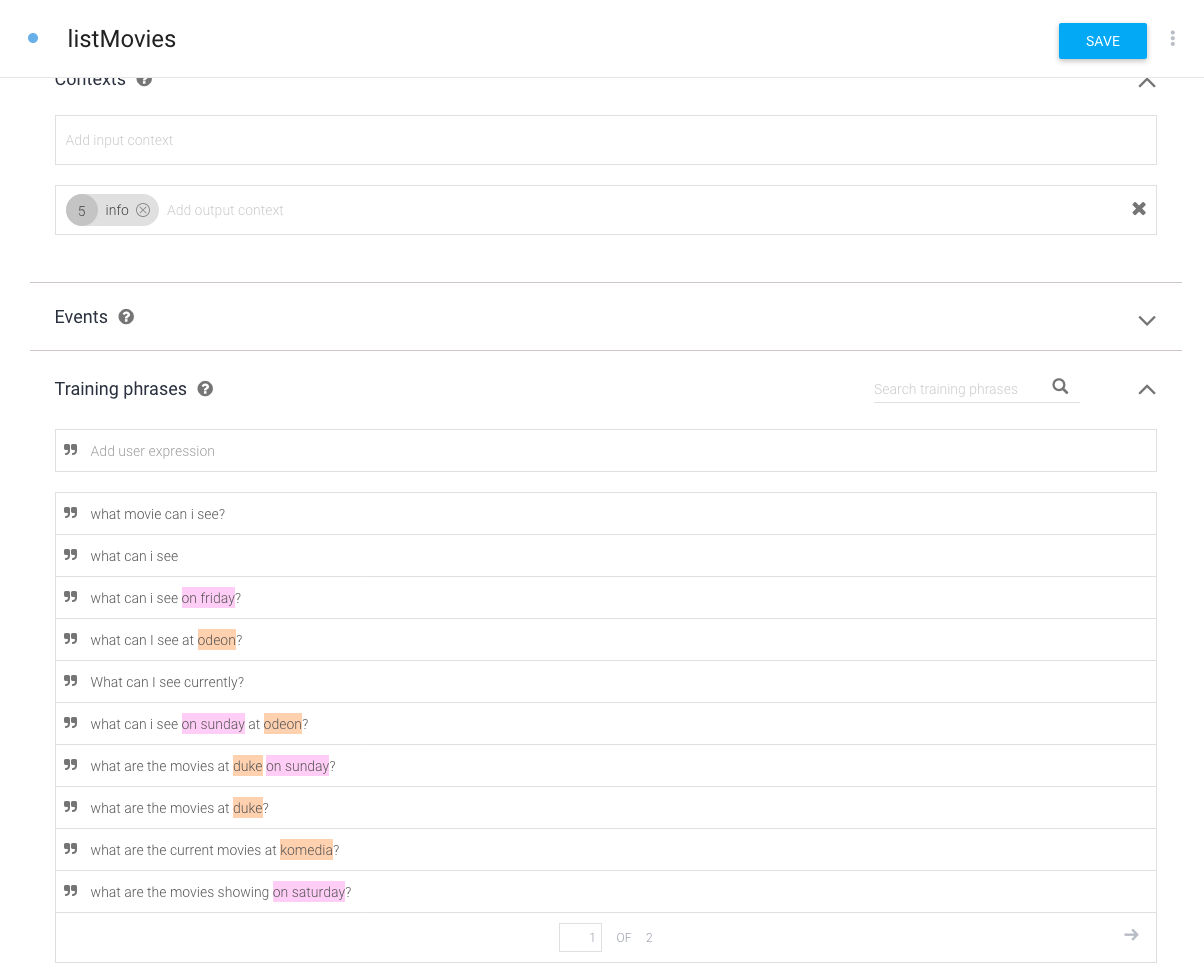
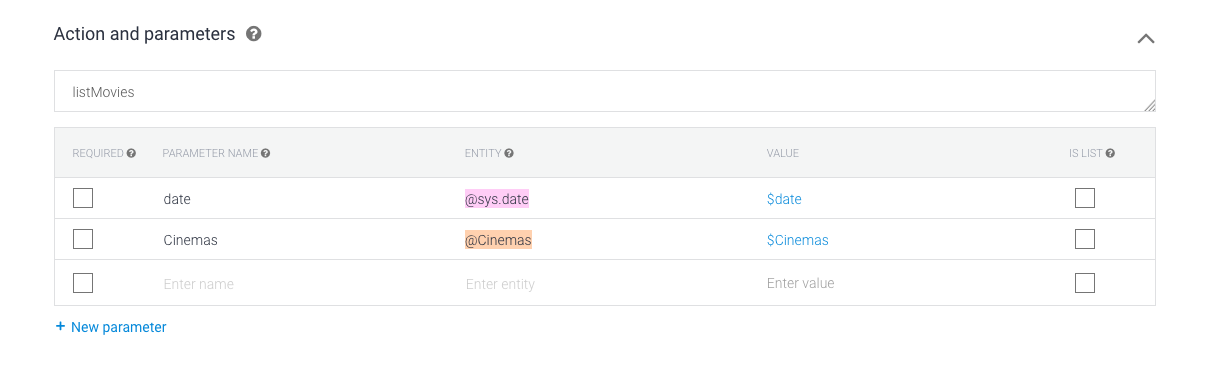
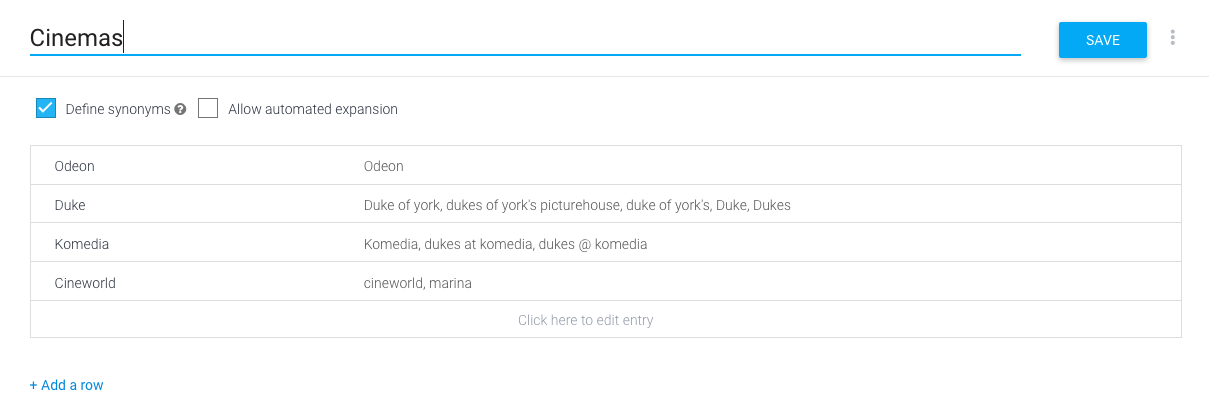
3. Get a list of movies (and use entities)
| const sendMoviesListResponse = (senderId, movies) => { | |
| const moviesTrailerUrl = movies.map((movie) => movie.url); | |
| Facebook.sendWhiteListedDomains(moviesTrailerUrl); | |
| const response = 'Currently, these are the movies you can see at the cinema:'; | |
| Facebook.sendTextMessage(senderId, response); | |
| Facebook.sendGenericTemplates(senderId, movies); | |
| } | |
| /* | |
| [...] | |
| */ | |
| switch (apiaiData.result.action) { | |
| case 'helloworld': | |
| Facebook.sendTextMessage(event.sender.id, 'Bonjour!'); | |
| break; | |
| case 'listMovies': | |
| let movies = undefined; | |
| if (apiaiData.result.parameters.date !== '' && apiaiData.result.parameters.Cinemas !== '') { | |
| movies = Data.getMoviesAtDateAndCinema(apiaiData.result.parameters.Cinemas, apiaiData.result.parameters.date); | |
| } else if (apiaiData.result.parameters.date !== '') { | |
| movies = Data.getMoviesAtDate(apiaiData.result.parameters.date); | |
| } else if (apiaiData.result.parameters.Cinemas !== '') { | |
| movies = Data.getMoviesAtCinema(apiaiData.result.parameters.Cinemas); | |
| } else { | |
| movies = Data.getMovies(); | |
| } | |
| if(movies) sendMoviesListResponse(event.sender.id, movies); | |
| break; |
| class Facebook { | |
| static sendGenericTemplates(recipientId, templates) { | |
| const messageData = { | |
| recipient: { | |
| id: recipientId | |
| }, | |
| message: { | |
| attachment: { | |
| type: "template", | |
| payload: { | |
| template_type:"generic", | |
| elements:[ | |
| ] | |
| } | |
| } | |
| } | |
| }; | |
| for (let template of templates){ | |
| messageData.message.attachment.payload.elements.push({ | |
| title: template.title, | |
| image_url: template.image, | |
| default_action: { | |
| type: "web_url", | |
| url: template.url, | |
| webview_height_ratio: "tall" | |
| }, | |
| buttons:[ | |
| { | |
| type:"web_url", | |
| url:template.url, | |
| title:"Trailer", | |
| webview_height_ratio: "tall" | |
| },{ | |
| type: "postback", | |
| title: "Screenings", | |
| payload: JSON.stringify({ | |
| type: "WHERE_AND_WHEN", | |
| data: { | |
| movie: template.title | |
| } | |
| }) | |
| } | |
| ] | |
| }) | |
| } | |
| Facebook.sendTypingOff(recipientId); | |
| Facebook.callSendAPI(messageData); | |
| } |
4. Use Contexts and Postback
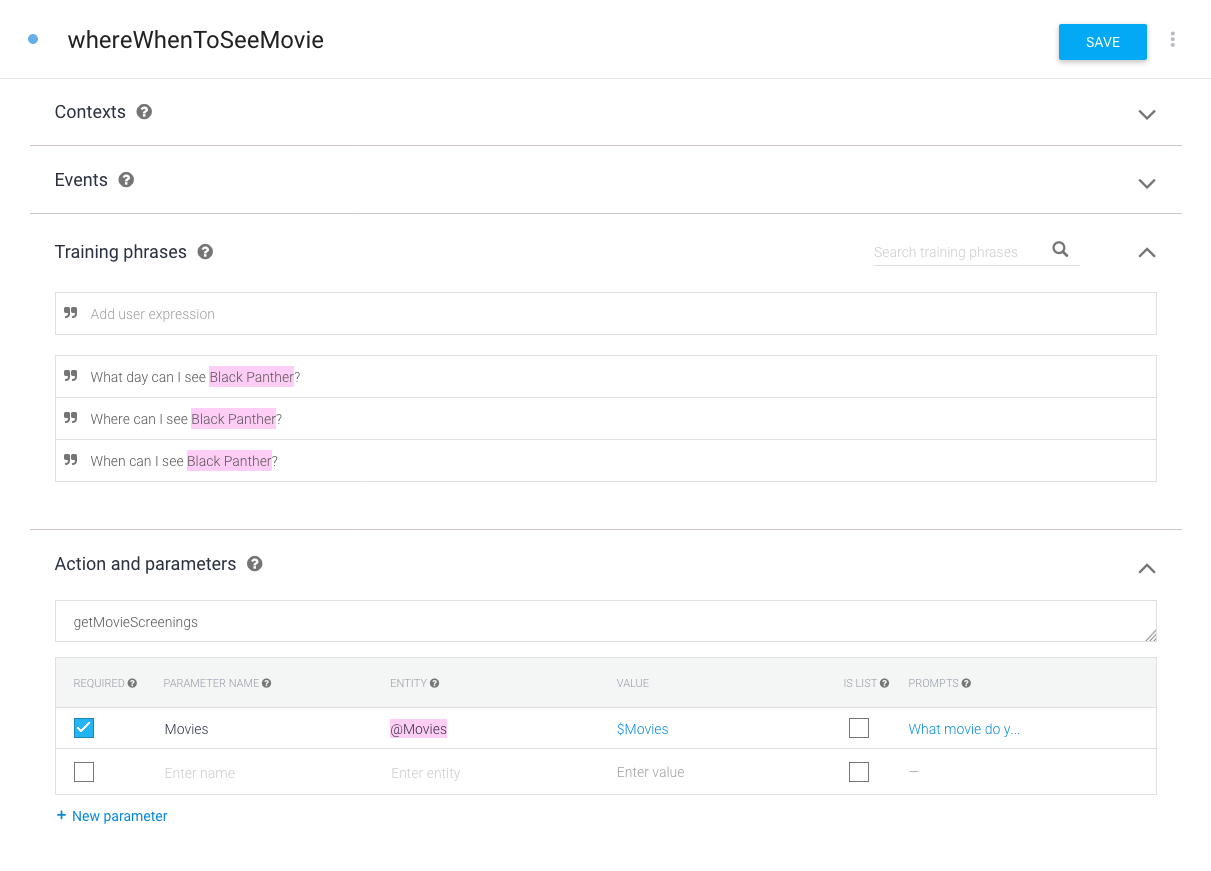
4. Use Contexts and Postback
| entry.messaging.forEach(function(event) { | |
| if (event.message) { | |
| /* [...] */ | |
| } else if (event.postback) { | |
| let payload = JSON.parse(event.postback.payload); | |
| console.log(payload); | |
| if (payload.type === "WHERE_AND_WHEN"){ | |
| let movie = payload.data.movie; | |
| Facebook.sendTypingOn(event.sender.id); | |
| ApiaiPromised.run(`Where can I see ${movie}`, event.sender.id) | |
| .then(apiaiData => { | |
| const contextInfo = _.find(apiaiData.result.contexts, {"name": "info"}) | |
| let contextDate = undefined; | |
| let contextCinemas = undefined; | |
| if(contextInfo){ | |
| if(contextInfo.parameters.date !== "") { | |
| contextDate = contextInfo.parameters.date; | |
| } | |
| if(contextInfo.parameters.Cinemas !== "") { | |
| contextCinemas = contextInfo.parameters.Cinemas; | |
| } | |
| } | |
| console.log('info', contextDate, contextCinemas, movie); | |
| // do something |
5. Prompts
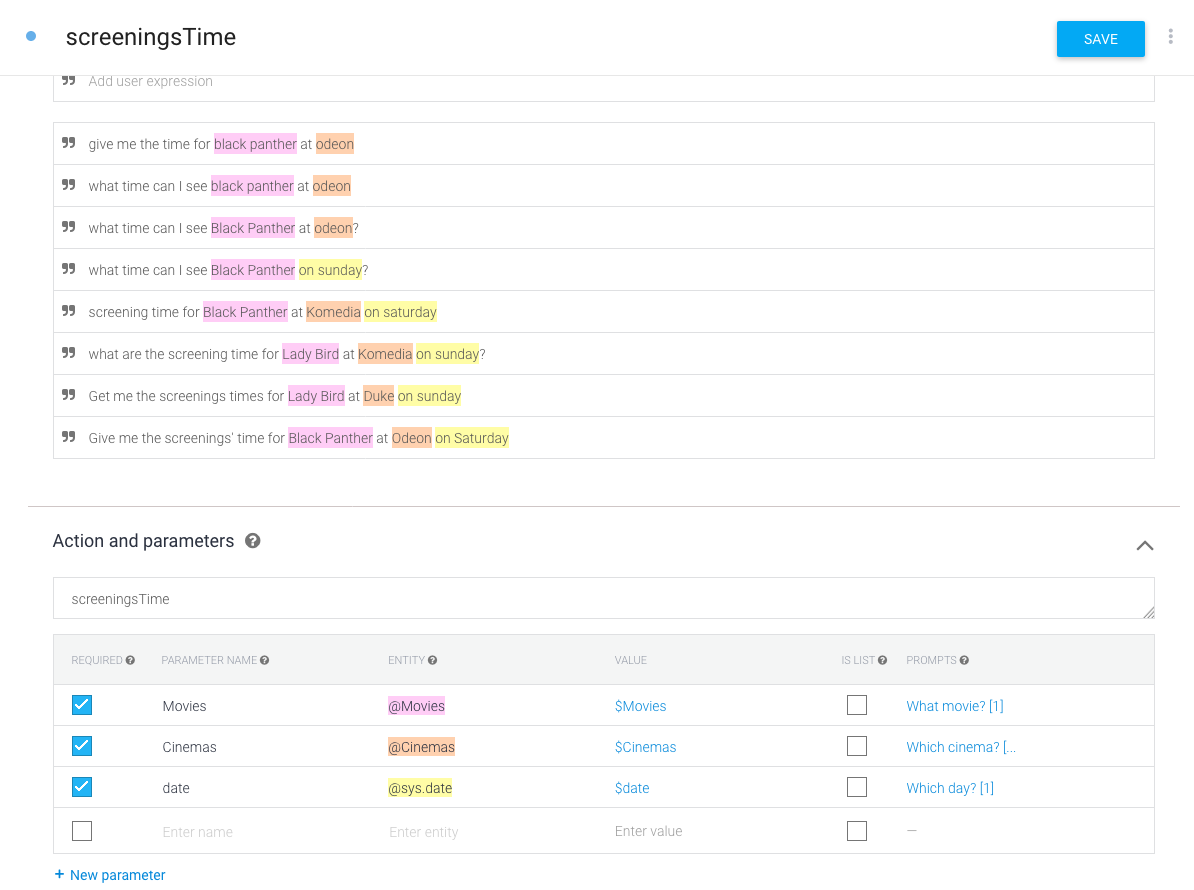
5. Prompts
| ApiaiPromised.run(event.message.text, event.sender.id) | |
| .then(apiaiData => { | |
| if (apiaiData.result.source === "domains" || apiaiData.result.actionIncomplete) { | |
| // if the result comes from a domain, or is a prompt, then we just pass the fulfillment | |
| Facebook.sendTextMessage(event.sender.id, apiaiData.result.fulfillment.speech); | |
| } else { | |
| // otherwise we process the action | |
| switch (apiaiData.result.action) { | |
| case 'helloworld': | |
| Facebook.sendTextMessage(event.sender.id, 'Bonjour!'); | |
| break; |
6. Bonus: Event, follow ups and quick reply

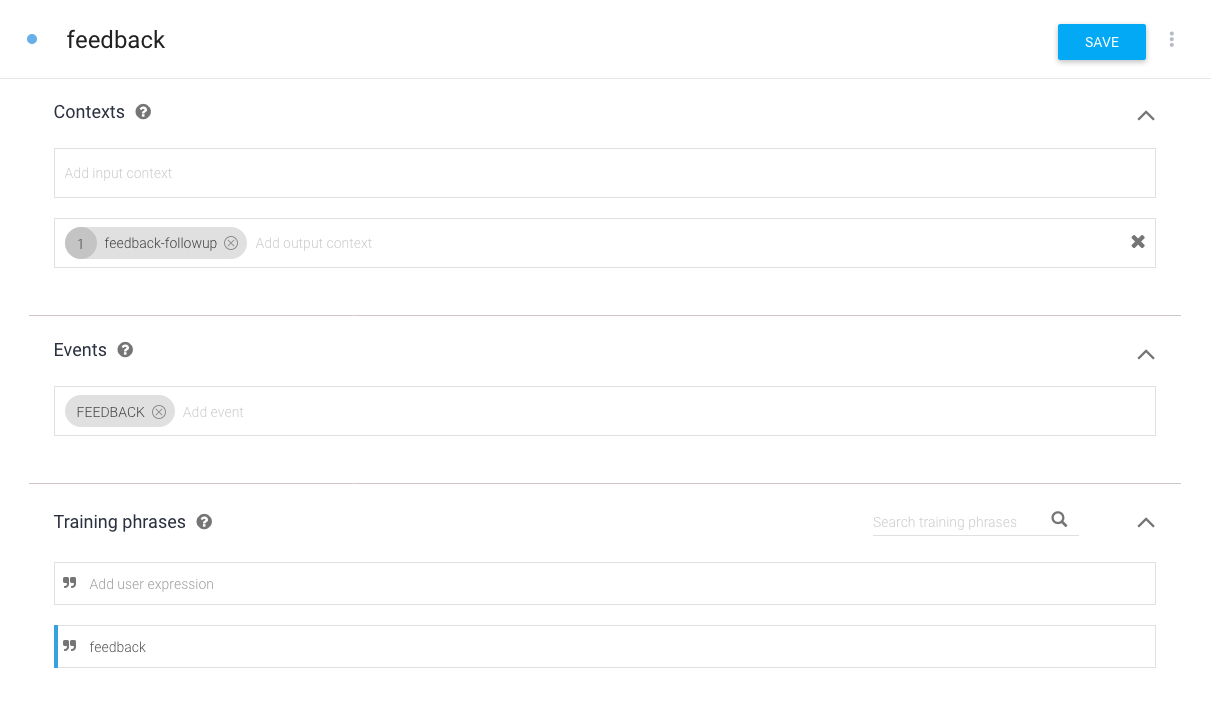
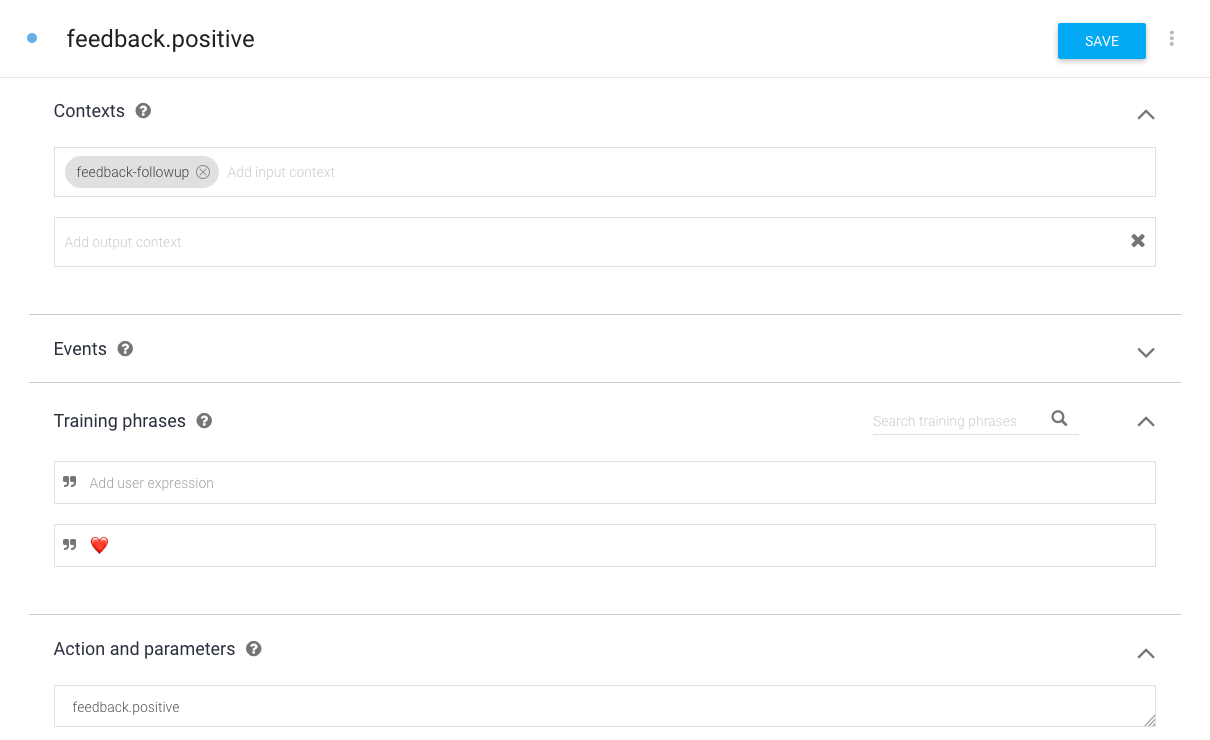
6. Bonus: Event, follow ups and quick reply
| case 'triggerevent': | |
| ApiaiPromised.event('FEEDBACK', event.sender.id) | |
| .then(apiaiData => { | |
| Facebook.sendQuickReply(recipientId, 'Do you like me?', ['💔','❤️']); | |
| }); | |
| break; | |
| case 'feedback.positive': | |
| Facebook.sendTextMessage(recipientId, '❤️'); | |
| break; | |
| case 'feedback.negative': | |
| Facebook.sendQuickReply(recipientId,'💔'); | |
| break; |
It's yours!
https://github.com/alexandrenicol/cinemabot-bwdmReminders
• Choose your platform
• Let your users know they're talking to a bot
• Handle errors, let your users know if it fails
• If needed, handover the query
• Create a character for your bot, but don't give them multiple personalities
• Keep it simple
• Listen to your users
• Not everything canshould be bot-ed